


GameWave
Skywork AI PTE.LTD.
I approached GameWave as an entertainment app for people who want to make and remix AI games rather than simply download a finished title. That distinction matters. It suggests a more experimental experience: you are not only choosing what to play, but also shaping the material you play with. In my experience, that makes the app more interesting than a standard game catalog, while also making it less predictable from one session to the next.
GameWave is free, comes from Skywork AI PTE.LTD., and is aimed at Teen users. It has reached over a million installs and holds a 4.4 average from around six thousand ratings, which gives it a reasonably strong first impression among people who have tried it. The current release is version 2.1.0 and works on Android 8.0 or later. Those details make it accessible to a wide range of Android phones, including older devices, although the practical experience will still depend on how demanding an AI-created game happens to be.
What makes GameWave different from a normal game app
The usual entertainment app gives me a finished package: a known game, a fixed set of rules, and a predictable route through its content. GameWave takes a different approach by putting creation and remixing at the center. The appeal is not just finding something to pass a few minutes with. It is seeing how an idea can become a playable experience, then adjusting that idea when the first result is not quite right.
That makes the app particularly suitable for curious users, younger players who enjoy experimenting, and anyone who likes interactive storytelling but does not want to learn a full game engine. It can also work as a quick creative exercise. I can imagine opening it with a simple concept, testing the result, and then changing the tone, challenge, or setting until the experience feels closer to what I had in mind.
The trade-off is that AI-generated entertainment can feel uneven. A conventional puzzle or arcade game has usually been designed around a known difficulty curve and carefully tested interactions. A remix-focused app may offer more variety, but that variety can come with rough edges. Some creations may be immediately enjoyable, while others may need several attempts before they become coherent or fun.
Related News

Why WhatsApp Messenger Still Makes Everyday Communication Feel Easy

Jurassic World: The Game Is the Better Dino Tycoon for Strategic Players

Threads in Real Life: Who Should Join, Lurk, or Leave

How SHEIN Turned Shopping Into an Endless Content Feed

How to Make Fortnite Feel Smarter on Mobile

Should You Switch to Microsoft Outlook on Mobile?
For that reason, I would not treat GameWave as a replacement for a polished premium game or a large established game platform. I see it more as a creative playground that happens to produce playable entertainment. If you want a dependable experience for a short commute, a traditional casual game may be the safer choice. If you want to influence the experience yourself, GameWave has a more distinctive reason to exist.
My first practical use case: turning a small idea into a session
A realistic everyday scenario would be a short break when I want something more engaging than scrolling but do not have time to learn a complicated tool. I could start with a compact idea, such as a mystery set in one location or a challenge built around a single unusual rule. The useful part is keeping the first request narrow. A small concept gives the app less to juggle and makes it easier for me to judge whether the result is working.
After trying the first version, I would focus on one change at a time. I might adjust the atmosphere first, then the objective, then the level of challenge. This is more effective than asking for a completely different experience after every attempt because it helps me understand which change actually improved the result. That iterative habit is one of the app’s less obvious strengths: it encourages me to think like an editor, not just a spectator.
Gallery
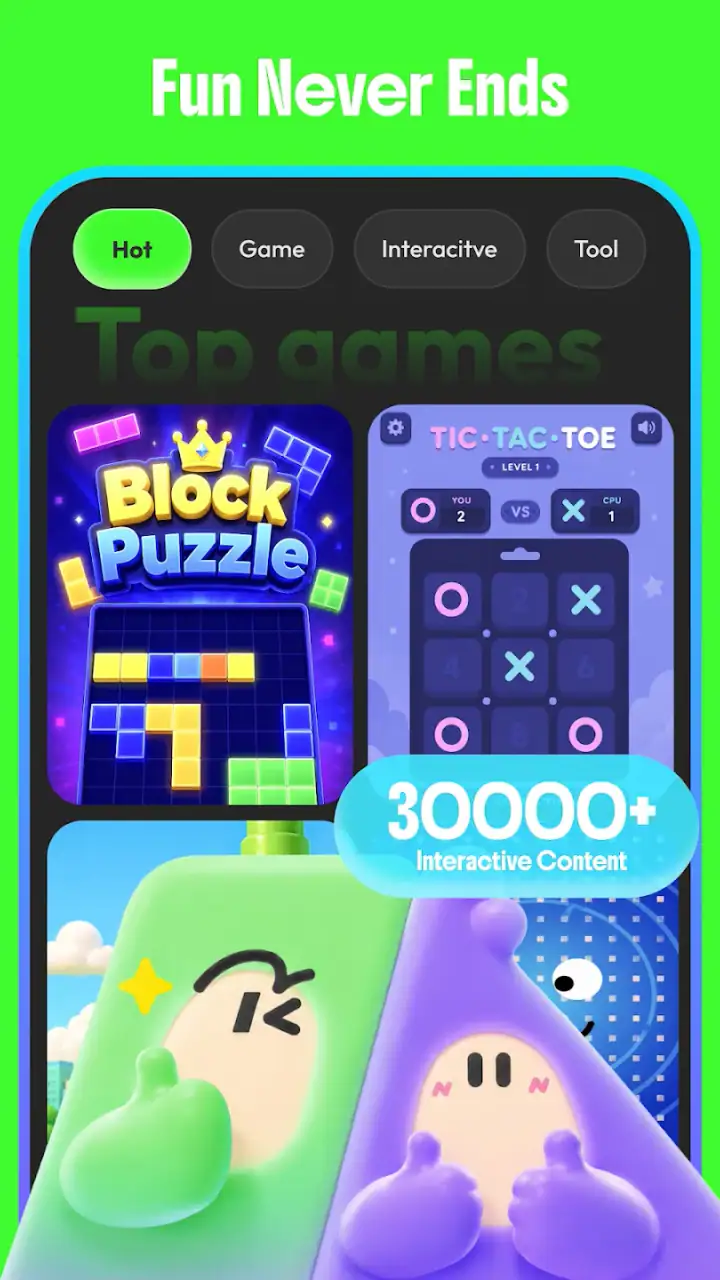
Remixing is also more useful when I treat it as refinement rather than a reset button. If the basic idea is good but the pacing feels slow, I would ask for a tighter version instead of replacing the whole concept. If the setting works but the objective is unclear, I would preserve the setting and concentrate on the player’s goal. This workflow should appeal to people who enjoy making small creative decisions without committing to a large project.
Trust starts with visible choices, not the novelty of AI
Because GameWave involves AI-generated content, I pay closer attention to trust than I would with a simple offline puzzle. The important questions are not only whether the games are entertaining, but also what I am being asked to provide, what controls are visible, and whether I can make sensible choices before using the creative tools.
My cautious approach is to read each permission or sign-in prompt instead of accepting it automatically. I would also avoid entering personal details into a game idea unless they are genuinely needed for the experience. A fictional character, invented setting, or general theme is enough for most creative experiments. There is no good reason to turn a casual game prompt into a personal diary entry.
The Teen content rating is another reason I would use the app with some awareness, especially on a shared family device. AI-created material can vary in tone more than a single hand-authored game. A parent or guardian should look at the available controls and decide whether the app fits the younger user’s situation. The rating is useful context, but it should not replace ordinary supervision when a child is exploring user-directed content.
I also prefer to keep account decisions deliberate. If GameWave offers an account option during setup, I would consider whether an account is necessary for the way I plan to use it. If I only want to experiment casually, I would first look for a guest route or a way to continue without sharing more information than needed. If an account is required for saving or syncing creations, I would use a dedicated display name rather than revealing identifying details in public-facing content.
Data-sensitive moments deserve extra attention
The most sensitive point is not necessarily playing a generated game. It is the moment when I describe what I want to create. Prompts can contain more personal information than users realize. A request about a workplace, a family member, a private event, or a recognizable location may expose details that have nothing to do with making the game enjoyable.
My rule would be simple: describe the creative problem, not the private story behind it. Instead of using a real person’s name, I would use a fictional role. Instead of naming a school or office, I would describe the setting generally. This still leaves plenty of room for a detailed result while reducing unnecessary exposure.
I would apply the same caution to remixing content created by other people. If a public creation includes a recognizable name, image, or personal reference, I would avoid copying that material into a new project unless I have a clear reason and permission. Remixing is attractive because it lowers the effort needed to start, but convenience should not erase basic respect for other users.
Another practical habit is checking the final text and presentation before sharing anything. AI output can include accidental references, awkward wording, or details that were not intended to be public. A quick review lets me remove those elements before a creation becomes part of a visible profile or shared space. This is a small step, but it gives me much more control over what the app represents as my work.
How much control does the user really have?
GameWave’s strongest promise is user agency, but agency is not the same as unlimited control. I can guide an idea, remix it, and decide what feels worth keeping, yet the generated result may still surprise me. That means the creative process works best when I accept a degree of unpredictability and remain willing to edit the outcome.
I found that the best way to preserve control is to separate creation into stages. First, I would establish the genre or mood. Next, I would define the main activity. Finally, I would refine the details that affect replay value. This staged approach avoids the common mistake of requesting an enormous, highly specific experience in one go and then struggling to understand why the result feels unfocused.
It is also worth saving or noting ideas outside the app if they matter to me. A creative platform can change, and an experimental result may not be easy to reproduce exactly. I would keep a short record of the concept and the changes that worked. That gives me a personal reference point and prevents a promising idea from disappearing after one session.
For families, user agency includes deciding how much freedom a younger player should have. I would encourage a child to create fictional worlds and original characters rather than use real names or personal situations. I would also review sharing controls before letting them publish anything. The goal is not to remove the creative fun, but to make the boundaries understandable before the child starts experimenting independently.
Where GameWave fits beside familiar alternatives
Compared with a normal mobile game, GameWave offers more ownership over the premise but less certainty about polish. A standard title is better when I want clear rules, reliable progression, and a consistent visual identity. GameWave is better when the act of inventing and changing the experience is part of the entertainment.
Compared with a conventional game-making tool, it should be easier to approach because the focus is on ideas and remixing rather than learning a full development workflow. The downside is that I should not expect the same level of technical precision, fine-grained control, or production consistency that a dedicated engine can provide. Someone planning a serious project would likely be happier with a specialist tool, while someone looking for a low-pressure creative experiment may find GameWave more inviting.
It also differs from a video or social entertainment app. Those platforms are mainly about consuming content made by others. Here, the user’s input is part of the experience. That makes the app more interactive, but it also means I need to contribute attention and judgment. If I am tired and want completely passive entertainment, a familiar streaming app may suit me better.
Small habits that improve the experience
I would begin with a single mechanic or clear objective rather than a long list of features. A focused starting point makes it easier to tell whether the generated game is enjoyable. Once the central idea works, I would add atmosphere or variation. This order is more reliable than decorating an unclear concept.
I would also test a creation as a player before judging it as a creator. It is easy to become attached to an interesting premise, but the important question is whether the interaction makes sense and remains enjoyable after the novelty fades. If I cannot explain what to do within a short moment, I would simplify the instructions or reduce the number of competing ideas.
For remixing, I would preserve one strong element and replace one weak element. Keeping something successful gives the next version a stable foundation. Changing everything at once may produce a surprising result, but it makes it difficult to learn from the process. This controlled approach turns experimentation into a repeatable workflow rather than random trial and error.
Finally, I would treat sharing as a separate decision from creating. A game can be fun for me and still not be ready for other people. I would remove personal references, check the wording, and make sure the result reflects what I actually want associated with my profile. That extra pause is especially worthwhile in an app where content can be produced quickly.
Who should try it and who should skip it
I would recommend GameWave to people who enjoy unusual ideas, interactive stories, and creative tools that do not demand traditional programming knowledge. It is a good match for a curious teenager with suitable supervision, a casual player who likes variety, or an adult who wants a quick way to prototype playful concepts.
I would be more hesitant to recommend it to someone who wants competitive balance, a fixed campaign, or carefully authored levels. It may also frustrate users who dislike revising their prompts or judging the quality of generated results. The app’s central pleasure comes from participation, so it is not ideal for anyone looking for a completely finished experience every time.
Privacy-conscious users can still approach it sensibly, but they should be intentional. I would use fictional details, inspect prompts, avoid unnecessary personal information, and review sharing choices. Those habits do not guarantee a particular outcome, but they give the user a clearer role in managing what enters the creative process.
My cautious verdict after using its creative approach
GameWave is most convincing when I treat it as an AI entertainment workshop rather than a standard game library. Its free entry point, broad Android compatibility, and emphasis on creating and remixing make it easy to explore without committing to a long game. The 4.4 average and over a million installs suggest that the concept has found a substantial audience, but the real question is whether I enjoy the process of shaping imperfect results.
My recommendation is positive with a clear condition: use it for experimentation, not guaranteed polish. Keep prompts fictional when possible, review anything before sharing, and make account or permission choices deliberately. If that sounds enjoyable, GameWave is worth trying as a hands-on creative break. If I only want a dependable, expertly balanced game with no setup or editing, I would choose a conventional alternative instead.
What stays with me is the sense of authorship. Even when the AI does much of the generation, the user still decides which idea to pursue, which version to improve, and which result deserves attention. That makes the app more meaningful than a simple novelty, provided I remain an active editor and keep trust and privacy in view.
FAQs for GameWave
What is GameWave and what can I do with it?
GameWave is a mobile gaming platform designed to bring multiple games and gaming-related features together in one app. Depending on the version available in your region, it may offer access to different game categories, player profiles, challenges, social features, or curated content. Before downloading, check the current store description because the available games, tools, and supported features can vary by country and app update.
Is GameWave free to download and play?
GameWave may be free to download, but some parts of the experience can include optional purchases, subscriptions, advertisements, or paid in-game items. The exact pricing depends on the games and features included in your version of the app. I recommend reviewing the Google Play or App Store listing and checking the purchase settings on your device before allowing children or other users to play.
Does GameWave require an internet connection?
An internet connection is generally recommended for GameWave, especially when downloading content, signing in, synchronizing progress, accessing online competitions, or using multiplayer and social functions. Certain games may work offline after installation, but this is not guaranteed for every title or feature. Performance can also depend on connection quality, so mobile data usage is worth considering when playing away from Wi-Fi.
Is GameWave suitable for children and safe to use?
GameWave’s suitability for children depends on the games, advertisements, communication tools, and external links included in the current version. Parents should review the age rating, privacy policy, permissions, and in-app purchase options before installation. If the app provides chat, profiles, or social interaction, enabling parental controls and supervising account activity is advisable, particularly for younger players.
Which devices support GameWave, and what should I check before installing it?
GameWave is intended for compatible Android and iOS smartphones or tablets, but support can vary according to operating-system version, device hardware, storage space, and regional availability. Before installing, confirm that your device meets the minimum requirements shown on its official store page. It is also sensible to use the latest system updates and download the app only from an official, trusted source.
Pros
- Simple interface makes browsing games and content easy.
- Fast loading times on most modern devices.
- Useful discovery tools help users find new games.
- Regular content updates keep the platform feeling fresh.
- Works well for casual users and gaming enthusiasts alike.
Cons
- Some features may require a stable internet connection.
- The app can use noticeable storage for cached content.
- Notifications may feel excessive without customization.
- Older devices may experience occasional performance issues.
- Game availability can vary by region or platform.


